
<Subscription /> component
Give users control over what notifications they receive - at the topic level. Create subscribe/unsubscribe flows that fit the context. Set workflow preferences and use advanced conditional rules. All of this can be done with a customizable React component.
Authors:


Paweł T., George D., Adam C.

v3.12.0 or higher
We've introduced Subscriptions, a new way to manage notification delivery at the topic level. Now with full context-awareness, giving subscribers precise control over what they receive and when.
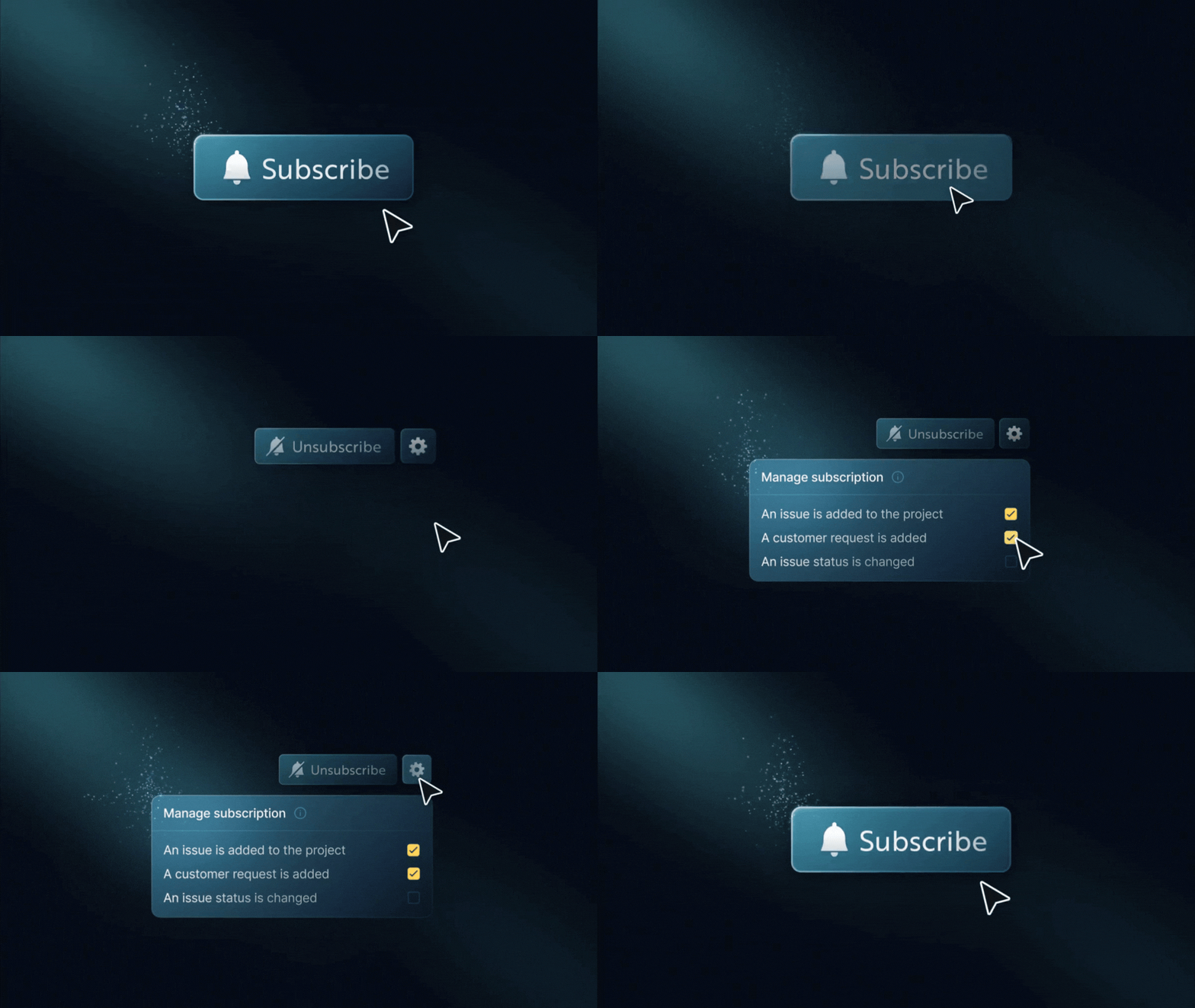
The new <Subscription /> React component makes it easy to add subscription features to your app. You can use it for a simple “follow” button on a resource or a complete preferences view.

- Subscribe or unsubscribe to topics (e.g., projects, issues)
- Enable or disable specific workflows within a topic
- Support conditional delivery rules (e.g., owner-only, thresholds, filters)
- Context-aware preferences: manage subscriptions differently across environments, tenants, or custom contexts using
contextKeys - Multiple subscriptions per topic with different conditions
- Fully customizable UI with theming, localization, and headless hooks
- Works seamlessly with Inbox and existing workflow/global preferences
Previously, subscribers could only control notifications at the workflow or channel level.
Subscriptions now unlock:
- Topic-level muting (e.g., turn off updates for project:43)
- Context-scoped preferences: filter and match subscriptions by context, with behavior safely gated behind the feature flag
- Advanced, structured preferences stored as JSON conditions
- Contextual subscription management directly on entities like projects or tasks
